0. Intro
1. Create Windows Instance
2. Connect to your instance
3. Trawers installation
4. Related Articles
Trawers w chmurze
Trawers może być przetwarzany w chmurze (wirtualizacja) (en: Cloud Computing)
Taką usługę oferuje np. Amazon EC2
Program zainstalowany jest na wirtualnym serwerze usługodawcy,
a praca na systemach odbywa się w trybie zdalnego dostępu.
Patrz pojęcie: chmura obliczeniowa
Korzyści pracy w chmurze:
* Nie trzeba posiadać własnego sprzętu (serwera) oraz dbać o jego serwisowanie
i stan techniczny
* Nie trzeba zatrudniać specjalistów IT
* Można dowolnie zwiększać zasoby: bazy danych i procesy obliczeniowe.
* Ogólnie: niższe koszty użytkowania
Przetwarzanie programu Trawers można rozpocząć praktycznie natychmiast
konfigurując parametry dostępu przez internet.
0. Intro
It is possible to launch Trawers on Amazon Web Services (AWS),
using the Amazon Elastic Compute Cloud.
Steps
* Sign up for Amazon Web Service
* Create Windows Instance
* Connect to instance
* Trawers installation
The first thing you need to do is to sign up for Amazon Web Services.
https://docs.aws.amazon.com/AWSEC2/latest/WindowsGuide/get-set-up-for-amazon-ec2.html
1. Create Windows Instance
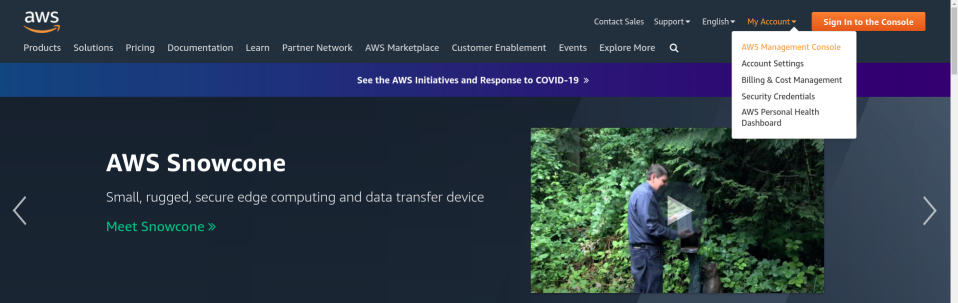
To launch a Windows instance use the AWS Management Console.
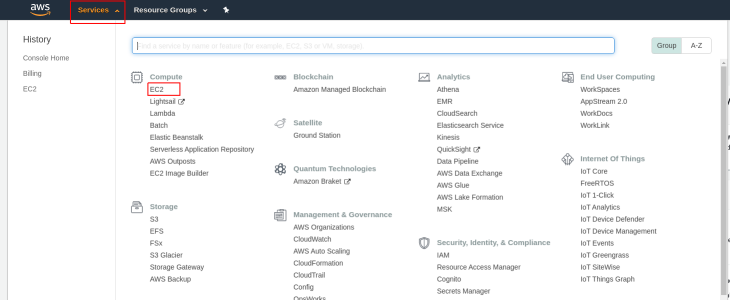
In the tab Services choose EC2.
The next step is to Launch an Amazon EC2 instance.
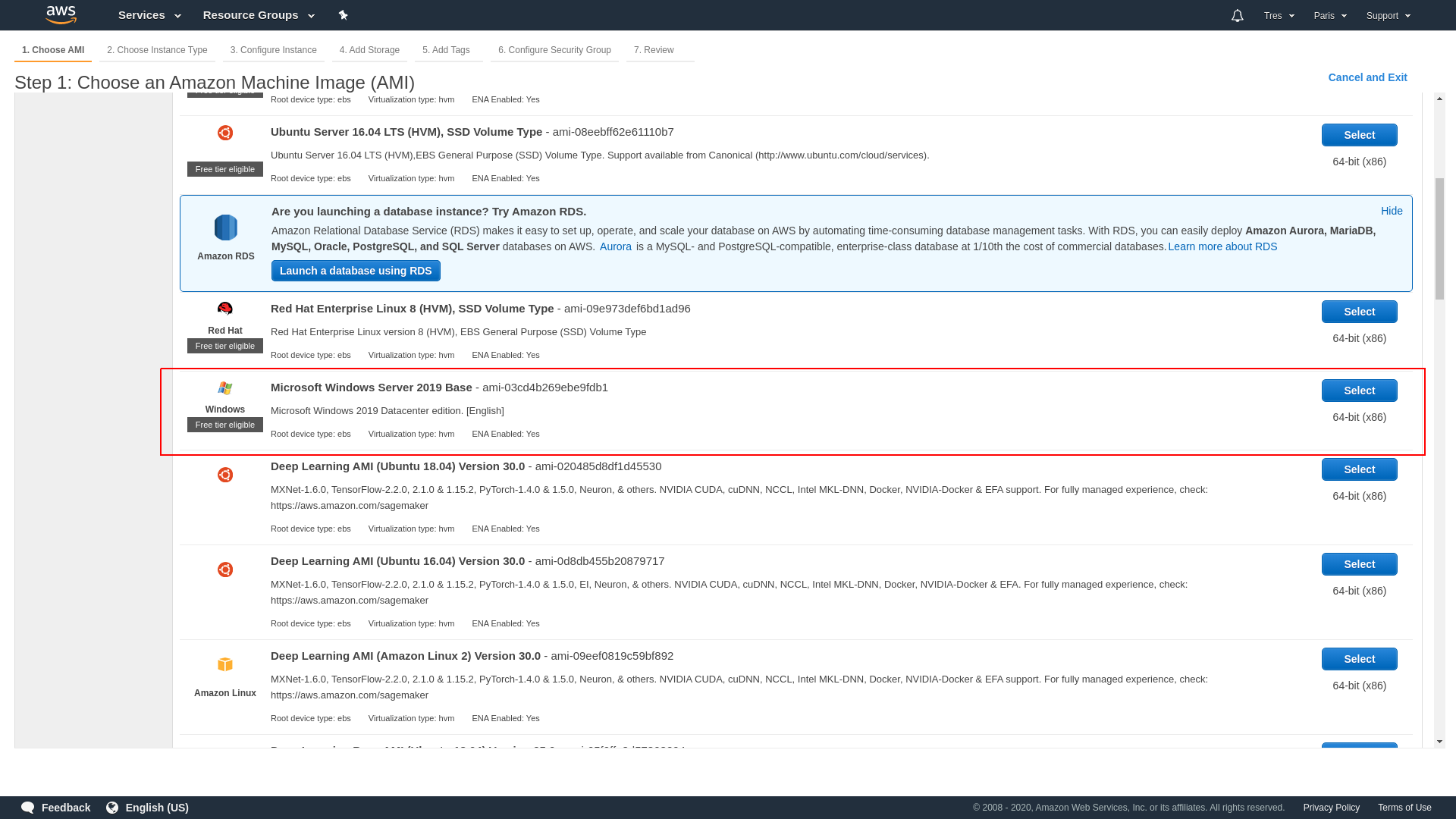
Choose Microsoft Windows Server 2019.
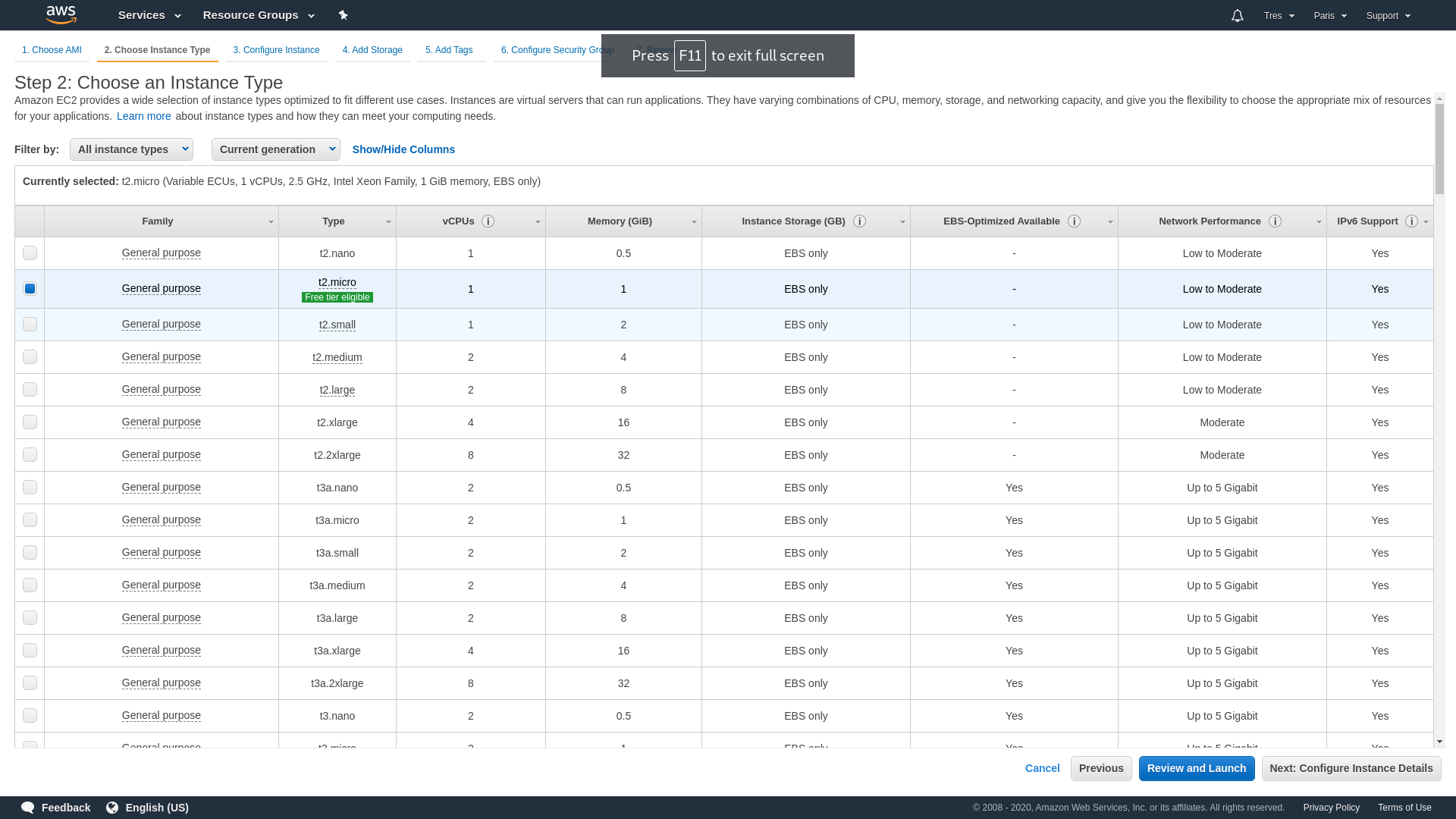
Choose hardware configuration of your instance.
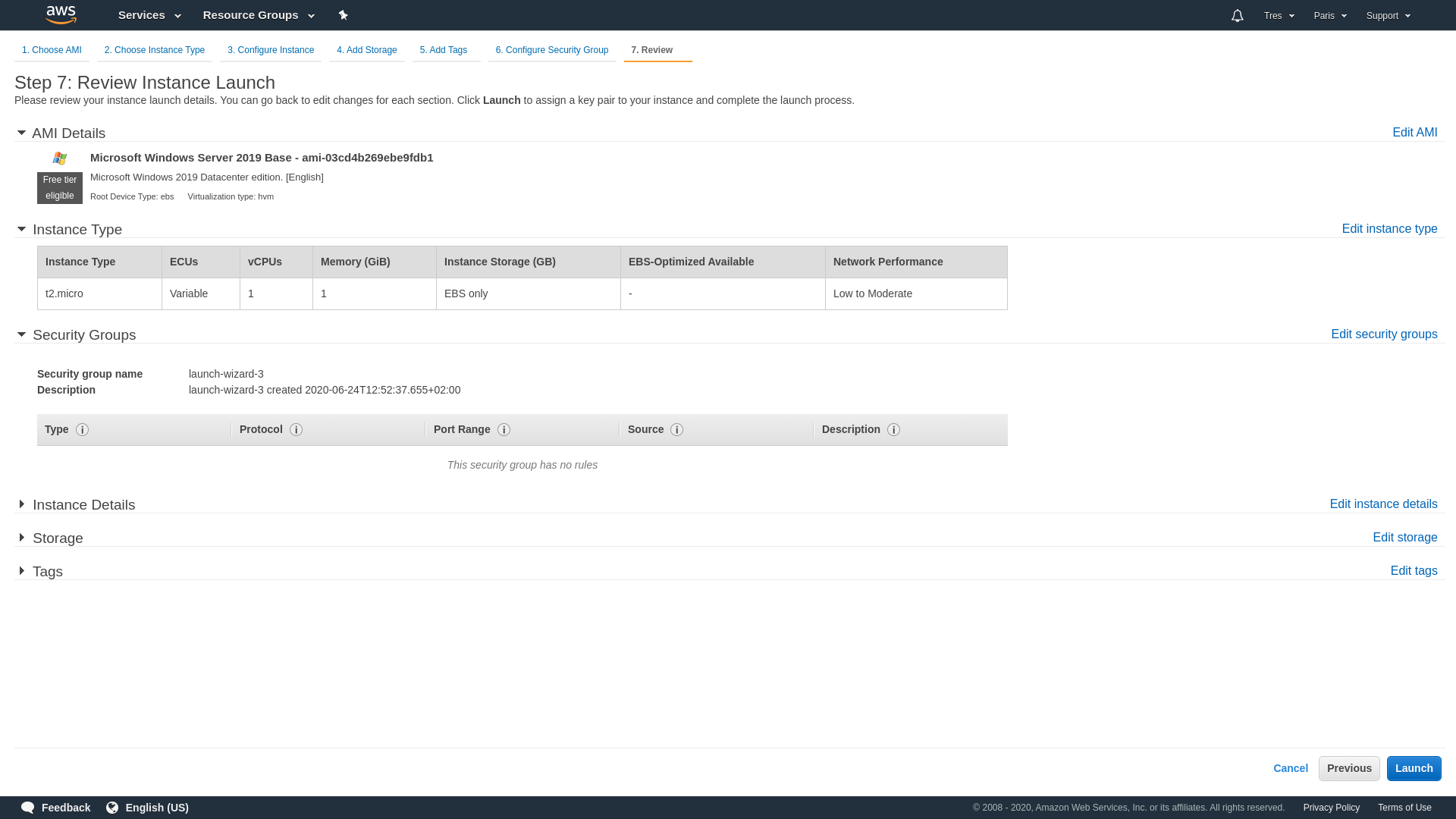
Now you need to review instance parameters and click launch.
AWS uses public-key cryptography to secure the login information for your instance.
You specify the name of the key pair when you launch your instance,
for example new key-pair windows_trawers_demo.
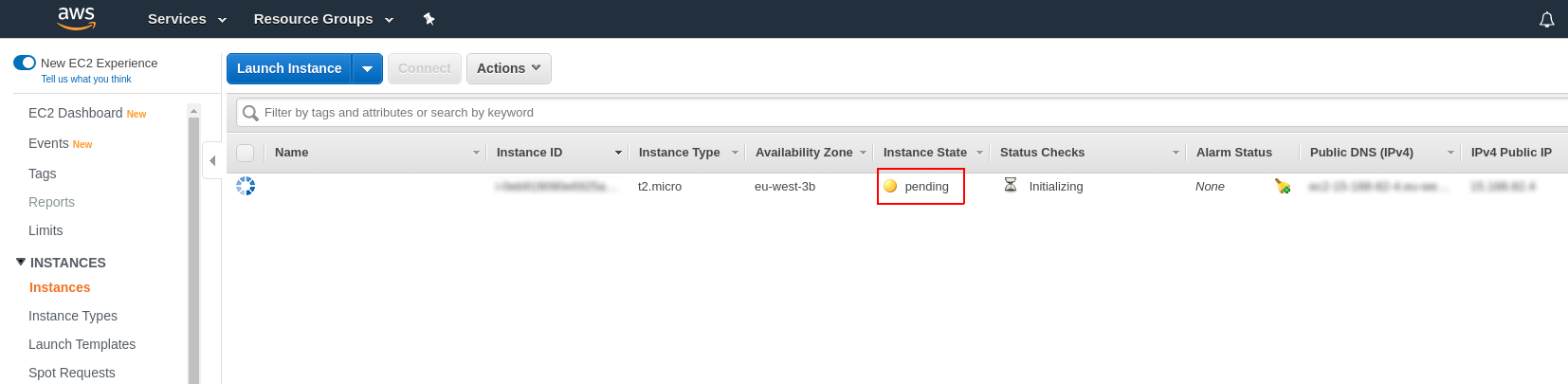
It can take a few minutes for the instance to be ready so that you can connect to it.
2. Connect to your instance
To connect to your windows instance you need a password.
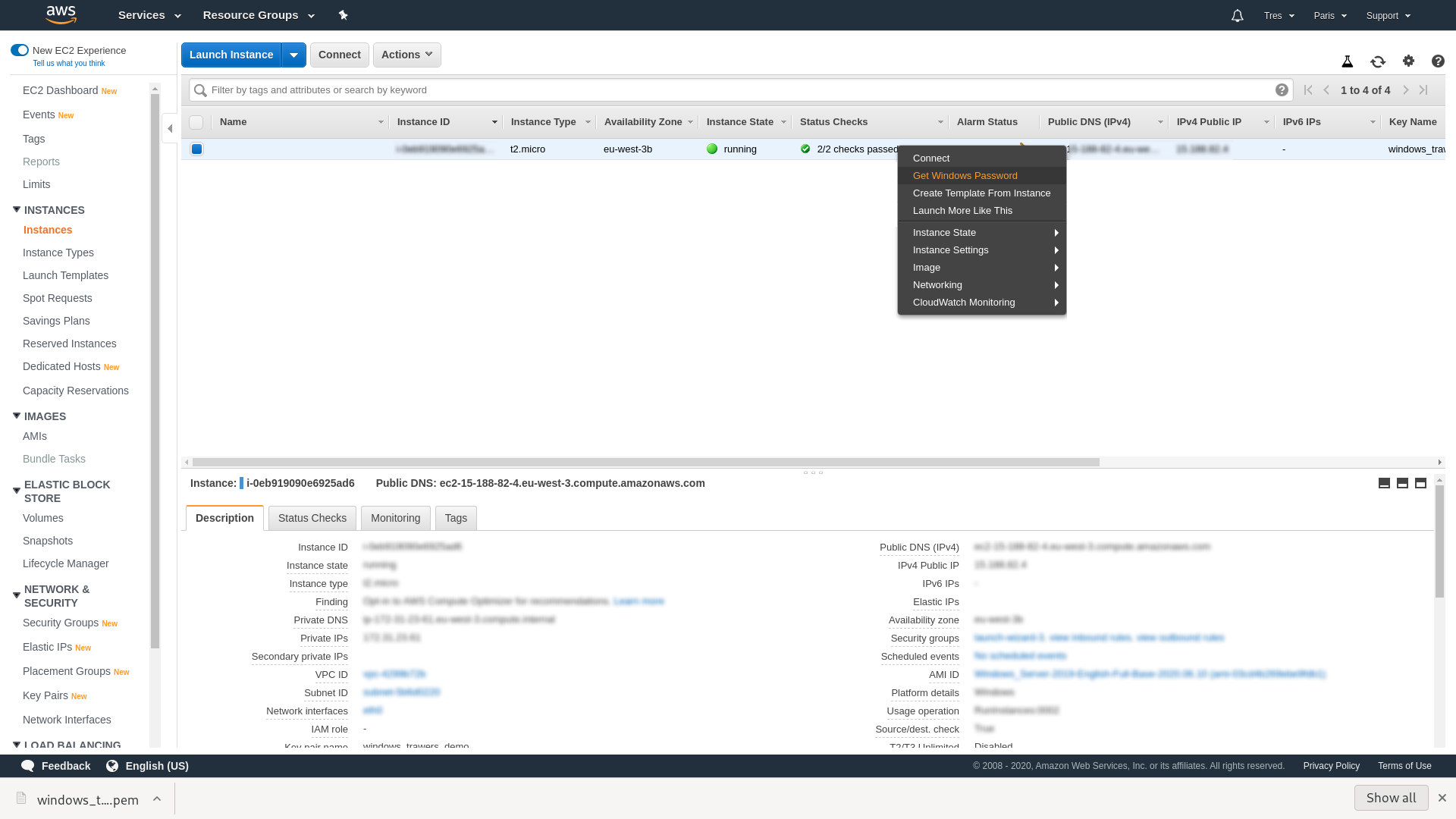
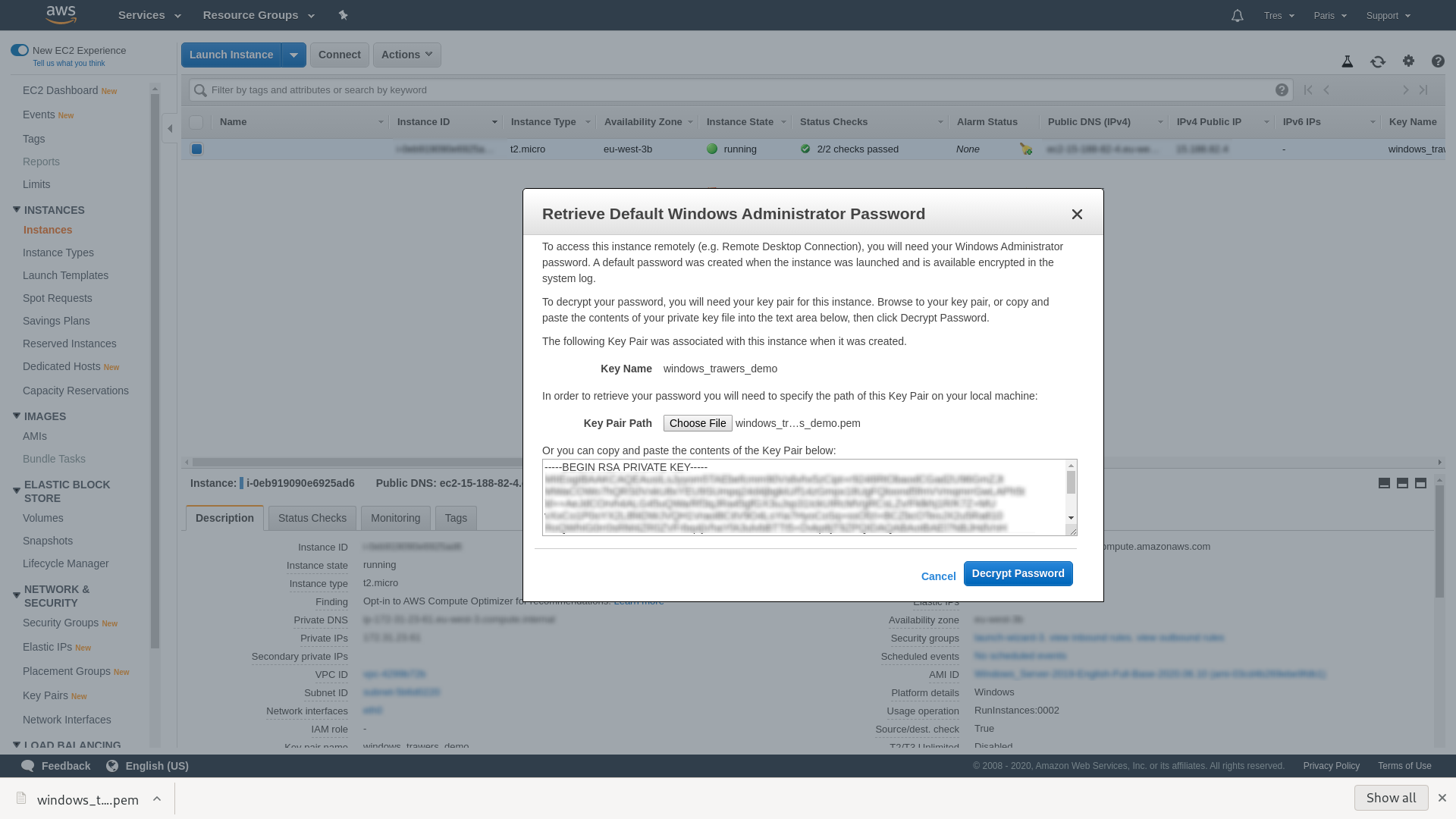
To get a password right click the instance and select Get Windows Password.
Choose previously created AWS key windows_trawers_demo
to get a password for windows.
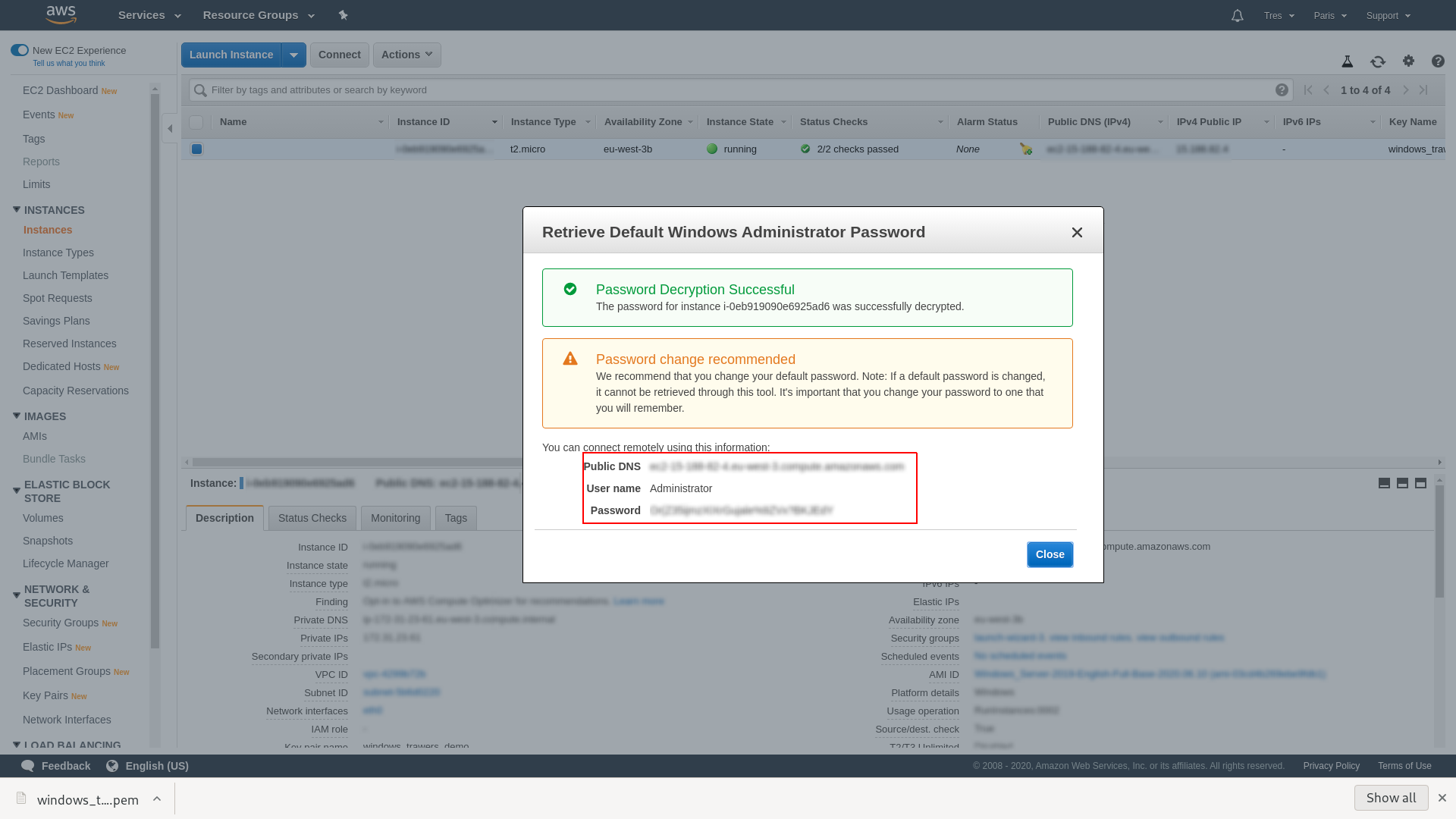
The window shows you all the information you need to connect
to your instance via remote desktop.
3. Trawers installation
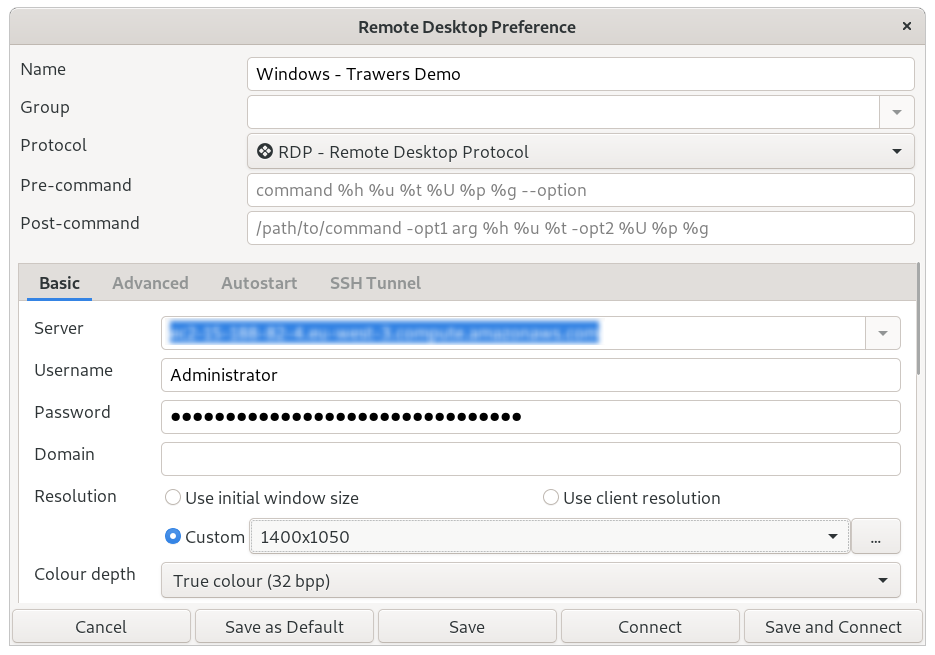
To log in to an Windows instance use Windows remote desktop
protocol (RDP), for example Remote Desktop Connection (Windows)
or Remmina (Linux).
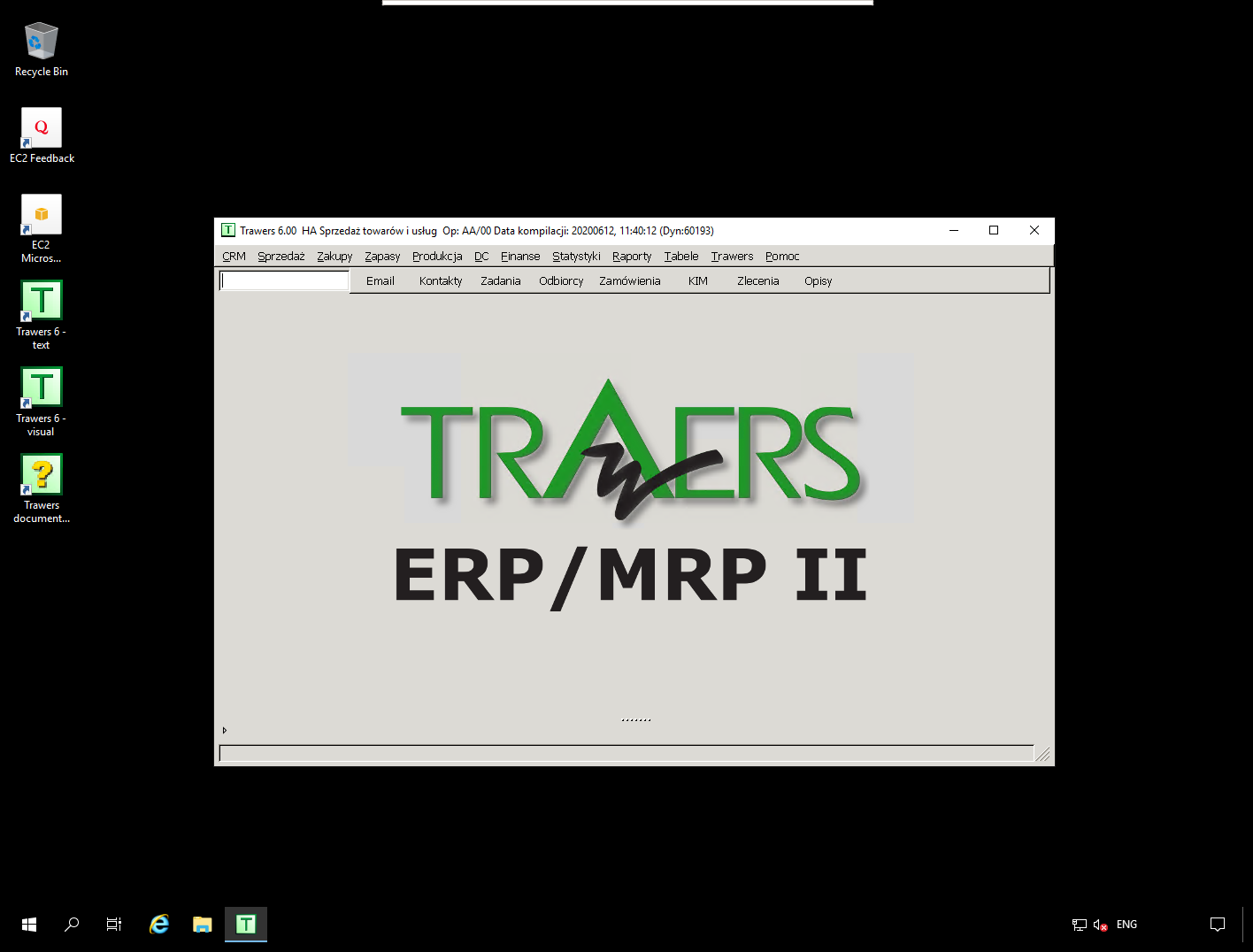
Example of remote connection via Remmina.
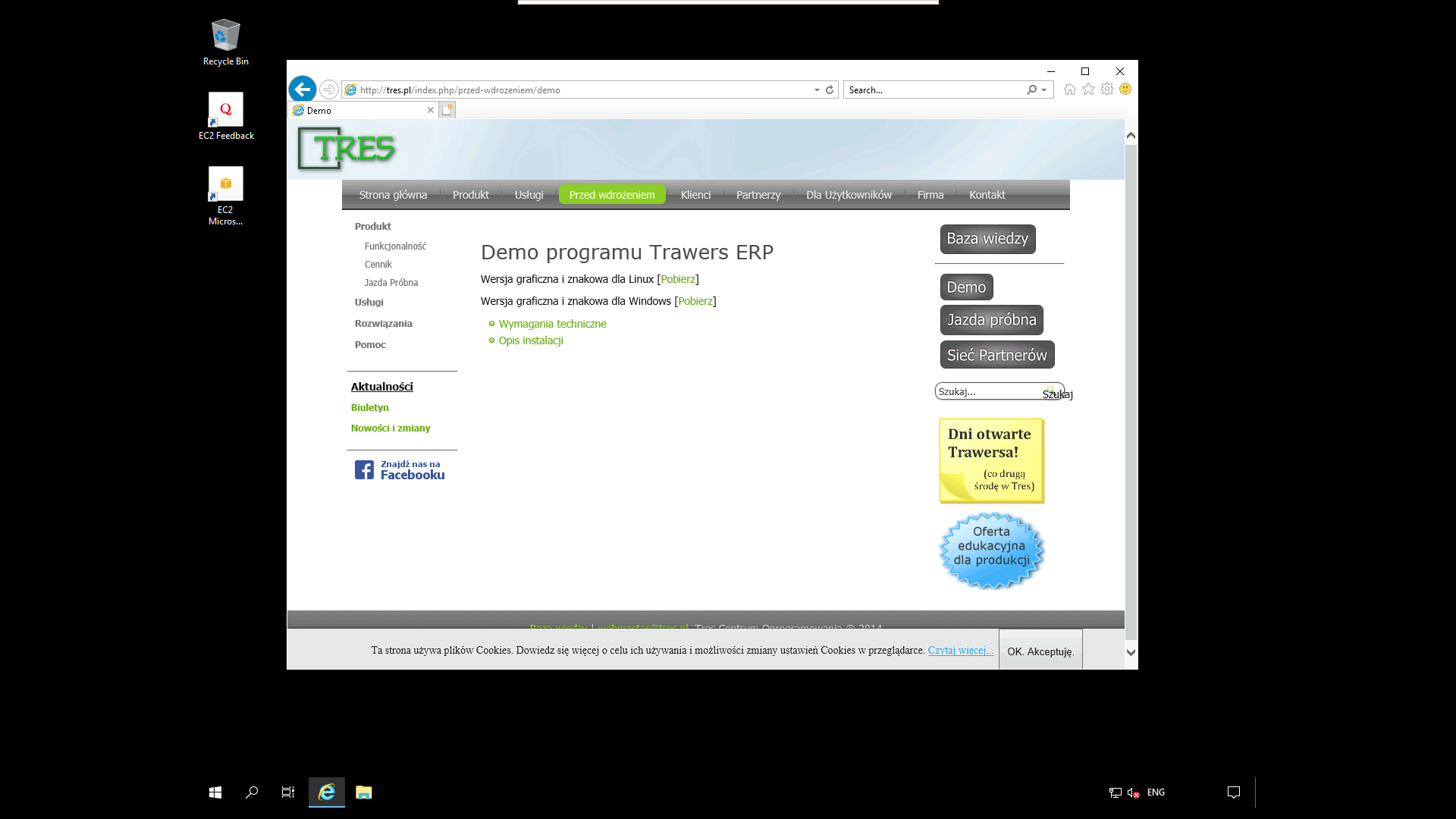
Open Web browser and download trawers from
https://ftp.tres.pl/demo-windows/ or
https://tres.pl/demo
Install trawers
 In the tab Services choose EC2.
 The next step is to Launch an Amazon EC2 instance.
 Choose Microsoft Windows Server 2019.
 Choose hardware configuration of your instance.
 Now you need to review instance parameters and click launch.
 AWS uses public-key cryptography to secure the login information for your instance.
You specify the name of the key pair when you launch your instance,
for example new key-pair windows_trawers_demo.
AWS uses public-key cryptography to secure the login information for your instance.
You specify the name of the key pair when you launch your instance,
for example new key-pair windows_trawers_demo.
 It can take a few minutes for the instance to be ready so that you can connect to it.

 Choose previously created AWS key windows_trawers_demo
to get a password for windows.
Choose previously created AWS key windows_trawers_demo
to get a password for windows.
 The window shows you all the information you need to connect
to your instance via remote desktop.
The window shows you all the information you need to connect
to your instance via remote desktop.
 Open Web browser and download trawers from
https://ftp.tres.pl/demo-windows/ or
https://tres.pl/demo
Open Web browser and download trawers from
https://ftp.tres.pl/demo-windows/ or
https://tres.pl/demo
 Install trawers